






Updating login information
Since March 2026, Geoversity has implemented several Single Sign-On options.
If you created an account on Geoversity before March 2026, you can also change the Single Sign-On method. To do so, you can follow the steps below.
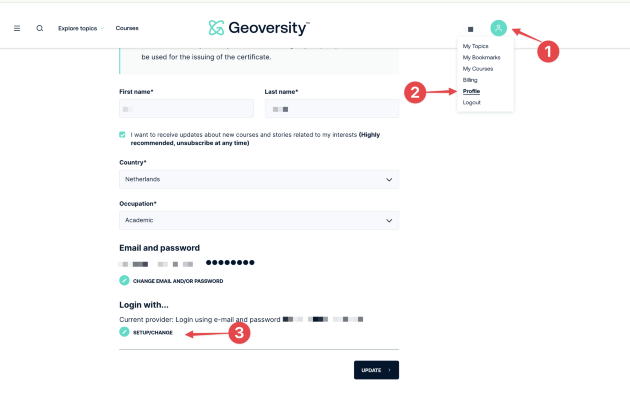
Step 1: Access your profile settings and follow the steps shown in the picture below:
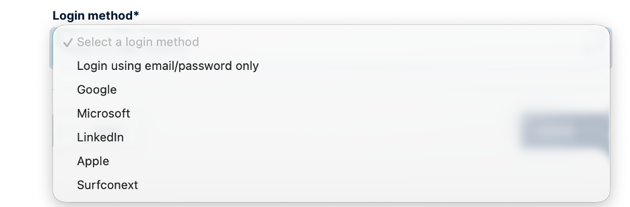
Step 2: Choose the new Single Sign-On method:
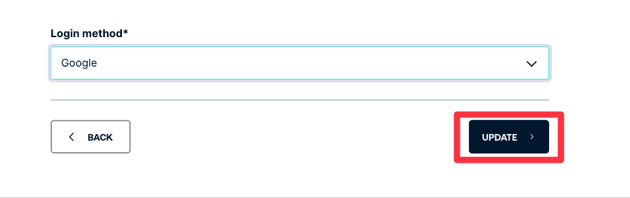
Step 3: Click Update
If you encounter any issues, reach out to support@geoversity.io or fill in our contact form.